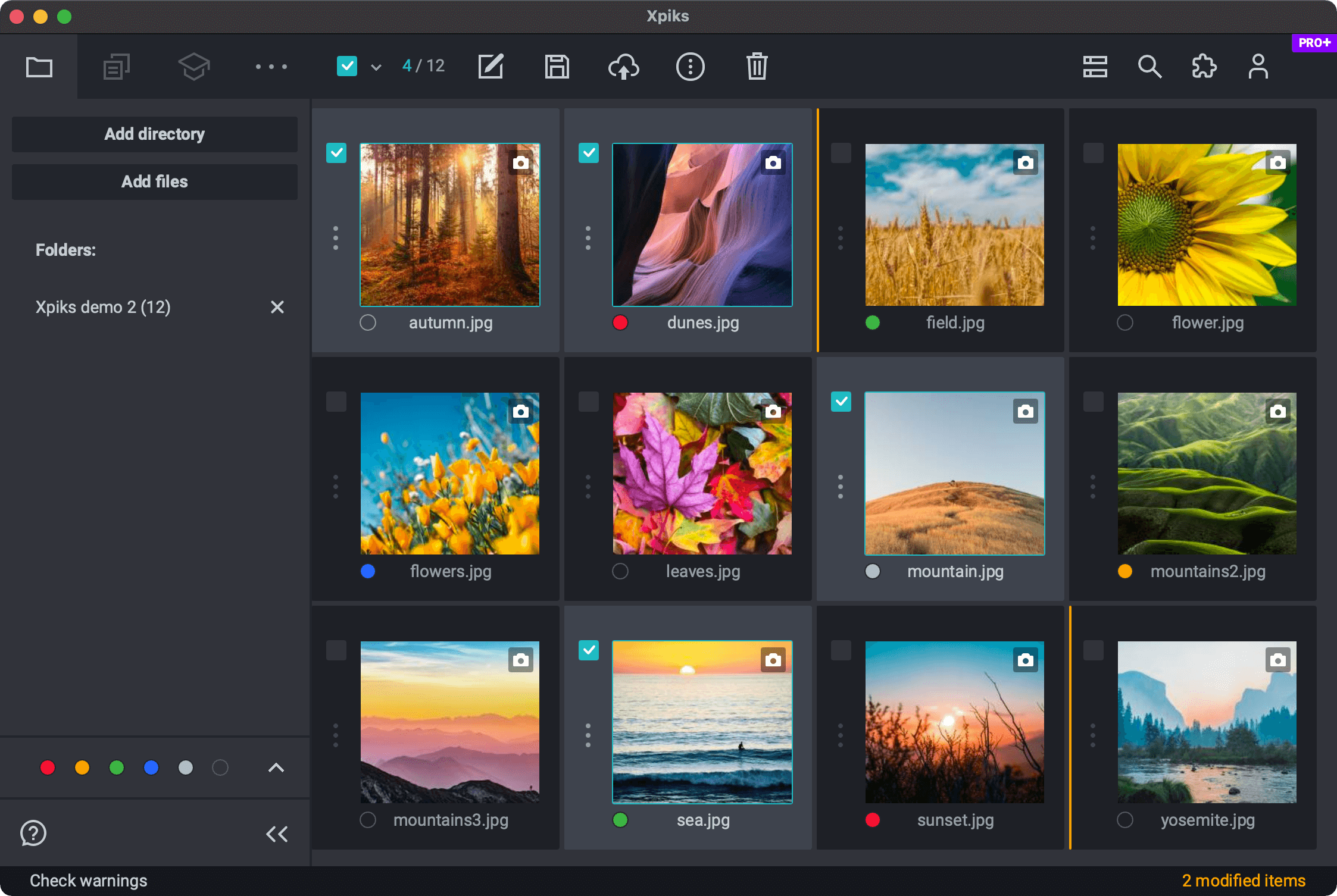
Xpiks is an alternative to Photo Mechanic for microstock contributors. While the Photo Mechanic is a respectable software to manipulate photo metadata, it was not made with microstocks in mind - unlike Xpiks.
Photo Mechanic vs Xpiks
Here’s a short comparison table:
Feature
Photo Mechanic
Xpiks
Edits metadata in photos, vectors and videos
Yes
Yes
Swiss-army knife in metadata editing
Yes
No
Uploads to microstock agencies
No
Yes
Offers features for microstock contributors
No
Yes
Has intuitive and modern user interface
No
Yes
Works on Windows and macOS
Yes
Yes
Supports RAW and video files
Yes
Yes
Supports Vector files
No
Yes
Has Free version
Yes
Yes
Why you should consider Xpiks
What is Photo Mechanic
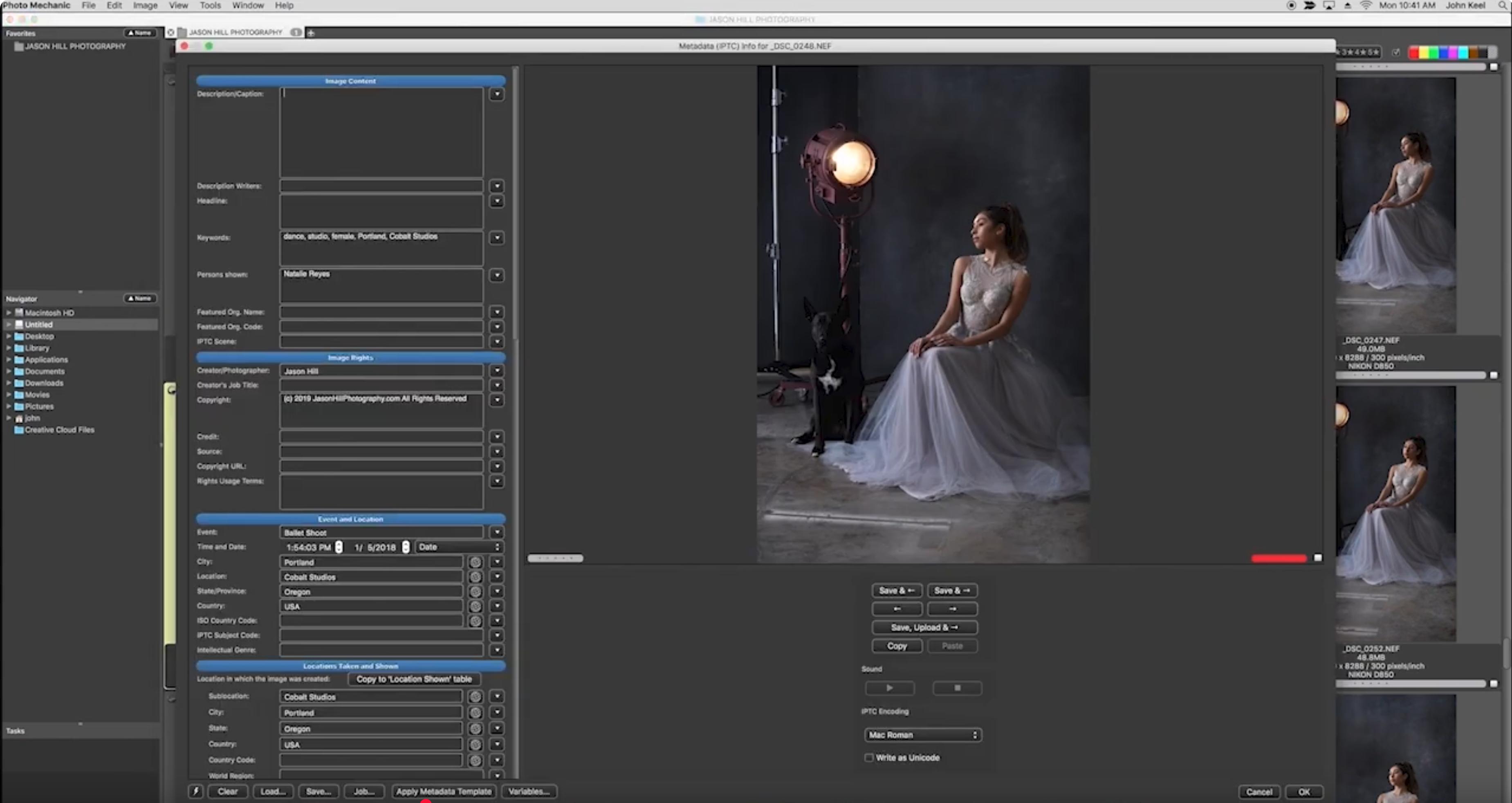
Screenshot of Photo Mechanic (from official YouTube)
Photo Mechanic is an amazing software, akin to exiftool with user interface. It’s main purpose is to quickly assign metadata to a group of photos that you’re copying from your SD card or digital camera. In general it’s only relevance to microstocks is the ability to edit embedded metadata.
Xpiks advantages
Main Xpiks advantage is that it was created specifically for microstock contributors. If you are preparing files for microstocks, you don’t need to edit “all” metadata all of the time. And chances are, you were using other software to process your RAW files altogether.
This software is crucial to my business, I can import metadata from a spreadsheet and finish to keyword/title/description an entire shoot quickly and without jpeg recompression
A life saver for photographers.
Joshua J, Photographer
AbsoluteLy phenomenal. For a creative, time is literally money and this saves me so much time and helps me make more money. Xpiks is quality product and I love that they constantly update it and keep improving it.
The best in class for Metadata inputting
Emmanuel L, CEO
I have been using Xpiks for over two years as part of my video and photo stock metadata purposes. I've bought a copy for a few of my employees and everybody has learned to use it very easily. Xpiks helped streamline my microstock creation and we as a team became much more efficient.
Been using it since it was free.
Joe S, Freelance film maker
It's a very affordable media management system. It's designed for photos but works well for video.
It was a good decision to start using Xpiks years ago.
Julia K, Illustrator
This app is easy to use, it's simple but at the same time, it has so many great features, which helps me to save a tone of time on keywording. My favorite feature is the color tag filter - I can customize my filtering process based on my needs. Also, I love a library with keywords, where I'm saving my prewritten keywords and I can categorize them as well - very useful.
My Review of Xpiks
Elizabeth S, Founder
The metadata feature of Xpiks is better than any other software of its class. It is easy to use. Xpiks is essential for anyone creating stock photography or needing to categorize their imagery.
Convenient plugin for uploading photos to photo stocks
Artem B, Photographer
Very easy to use, user friendly interface. It only takes a couple of clicks to start the automatic downloading while you can come back to your favourite routine.
Indispensable tool for a stock illustration contributor
Irina M, illustrator
It's a great piece of software that streamlines my workflow, it has all the features I need for my stock illustration file management needs. -Easy and intuitive to use; -Has all the features that I need; -One-time purchase; -Good & fast support; -UI looks good"
First touch and it was lovely!
Mehmet Recep O, Chief Designer
First and most important thing is, Xpiks exist! This industry needs this type of software and I can honestly say Xpiks best of it. Here is why; Alternative softwares (I tried all of it), is really complicated. For beginners (I was a beginner at the beginning too) could be very difficult to understand what function will do. But Xpiks is very clean and it has a good interface. Also, I'm a UI and UX designer and I can say, they did most of the things correctly.
Xpiks: the best way to manage files for multiple microstock agencies
paolo c, Photographer
The ease of use and the various functionalities about keywording and sending pics to microstock agencies is the best feature of Xpiks, I didn't tried yet the plugins to add more options but they seem very useful to run faster the workflow. Great software.
Best software for uploading stockphoto
Mohd Oqba B, Photographer
Easy to use. The features to add keywords, title and description is very user friendly. Can upload to multiple sites at the same time.
Great Software that fixes a whole lot of problems
Verified Reviewer, Photographer
Love the fact that I no longer have to copy and paste all keywords throughout different websites such as Shutterstock, Pond5, Adobe Stock, etc. I can simply keyword, title, & describe all of my photos and videos, and simply upload them to each corresponding website!